Data analytics consulting
Power BI, Tableau, Smartsheet, and data analysis
PeekGraph builds the dashboard, the data model behind it, and the report a finance, operations, or leadership team opens each week. The tools are Power BI, Tableau, Smartsheet, Python, and R.
The work starts from the files and reports already in use. The metric is named first. Scope is written after that, before any build starts.
Services
What PeekGraph delivers
The six services are Power BI, Tableau, Smartsheet, Python, R, and data analysis. Each card opens the page for that work, including what is included and a sample.
Power BI
Semantic models, DAX measures, paginated reports, and workspace governance.
Tableau
Interactive viz, calculated fields, dashboard actions, and Cloud / Server publishing.
Smartsheet
Project trackers, portfolio rollups, Control Center, and reporting sheets.
Python analytics
Pandas, automation, APIs, ETL jobs, and clean feeds for your dashboards.
R & statistics
Modeling, forecasting, experiments, and reproducible analysis.
Data analysis
KPI design, metric definitions, and decision-ready insights for leadership.
Sample work
View sample dashboards
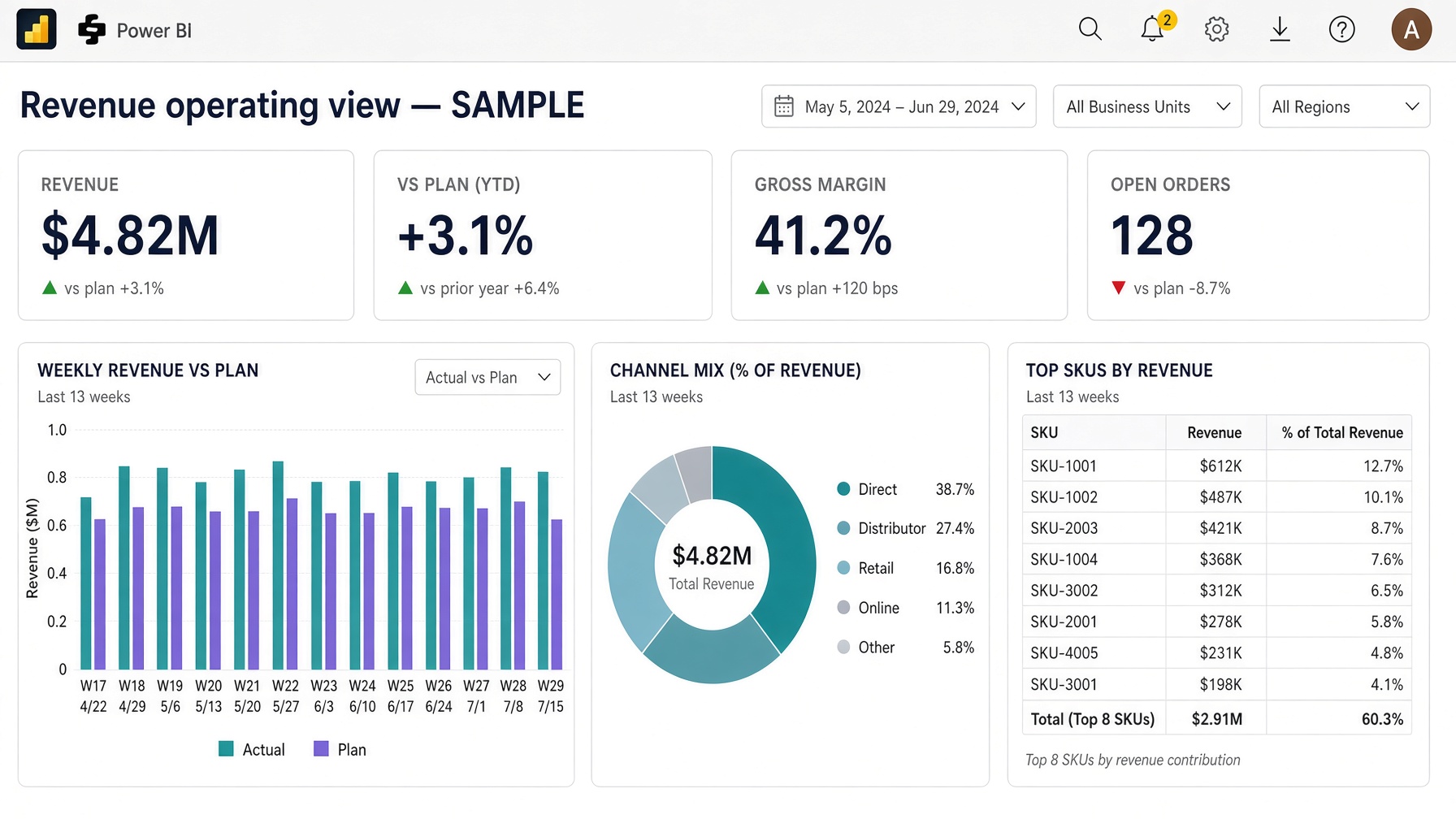
Sample · Power BI
Revenue operating view
This picture is a weekly leadership dashboard: one revenue KPI, trend, and a cut the room can use without a walkthrough.
What happened: three Excel files each claimed a different “revenue.” They were replaced with one semantic model so the meeting sees one number. Demonstration data, not a client file.
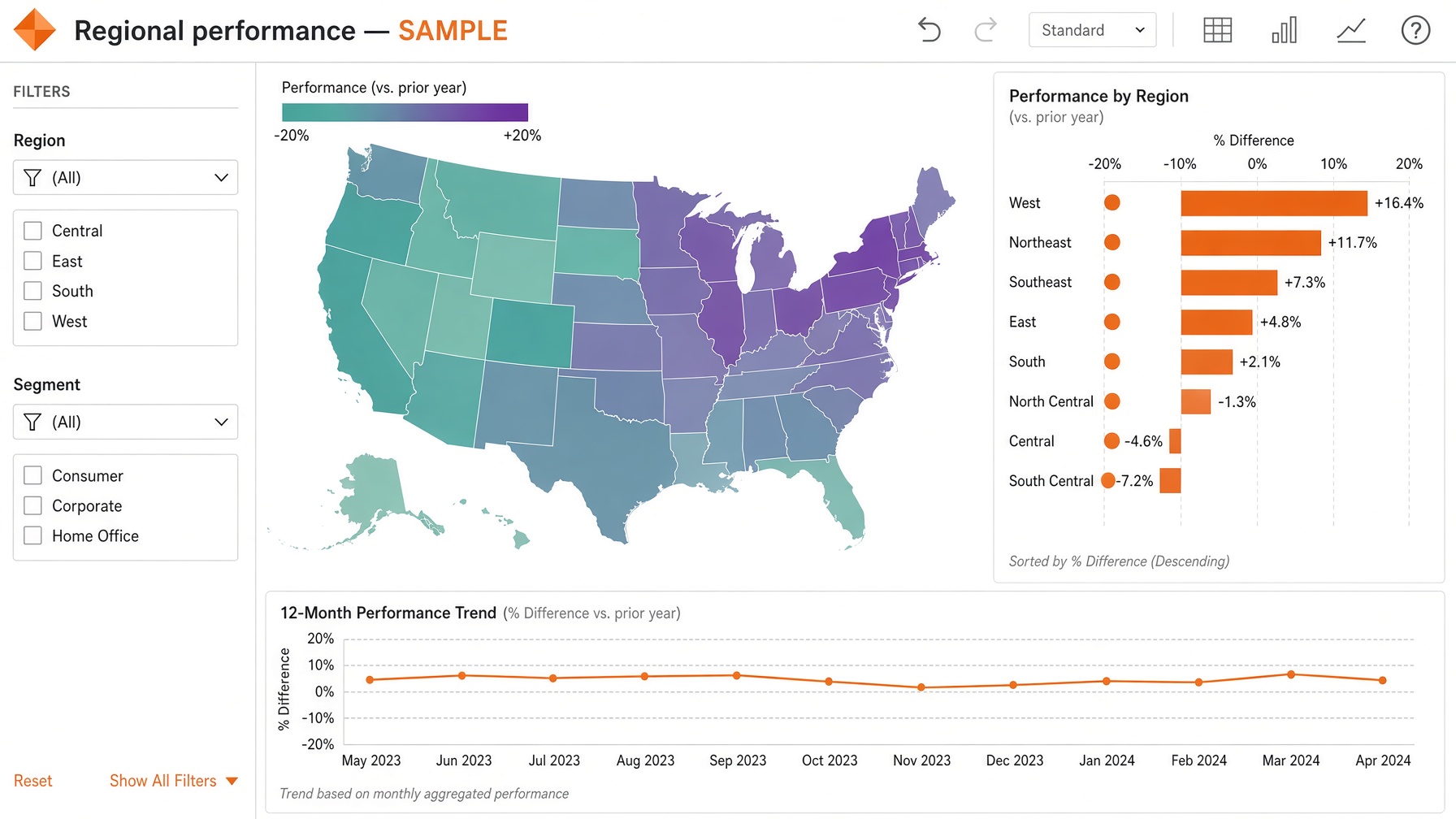
Sample · Tableau
Regional performance
This picture is a regional view: click a region and the rest of the page follows.
What happened: a forty-page pack only the author could explain. One published Tableau dashboard replaced it. Demonstration data, not a client file.
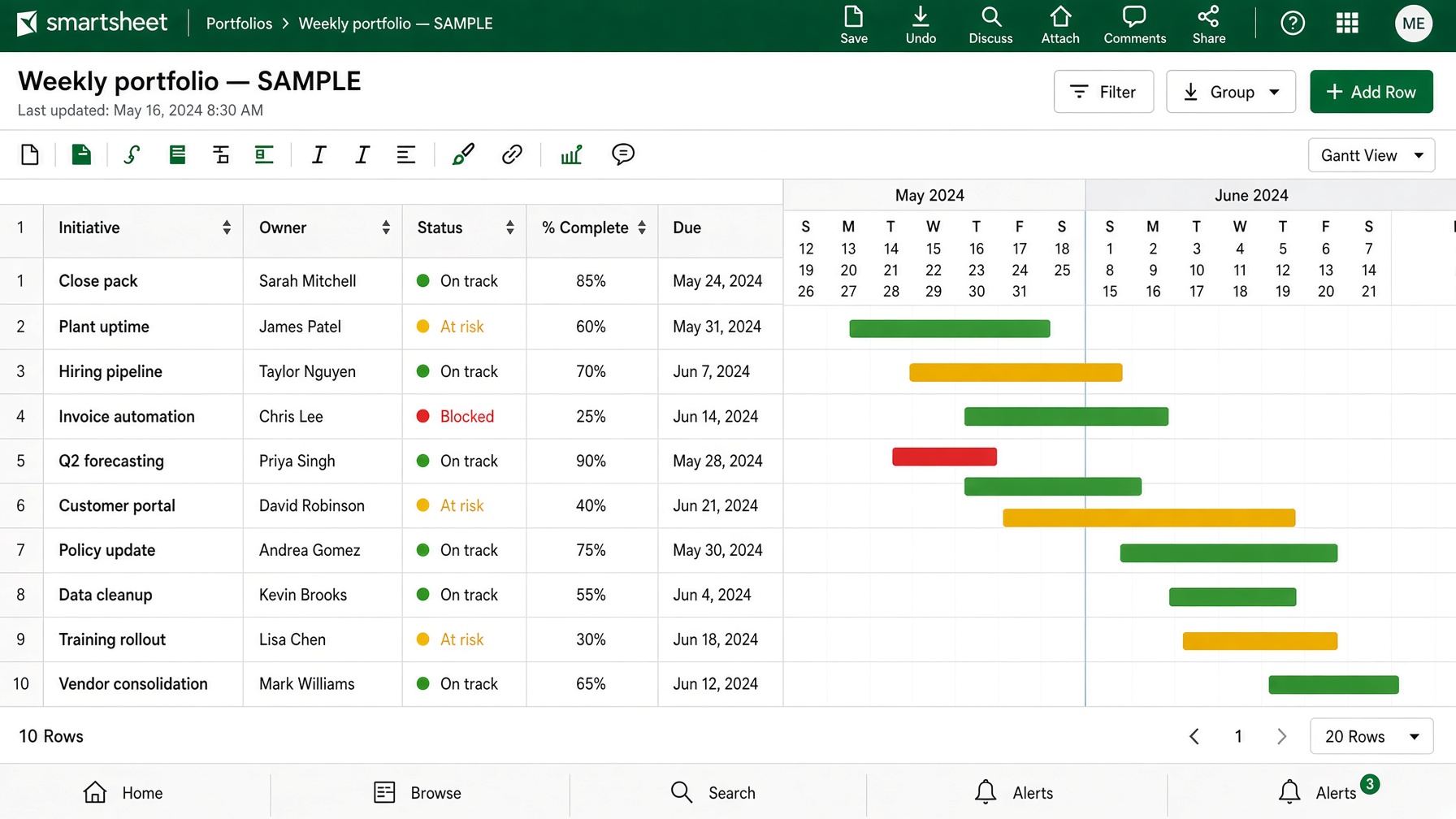
Sample · Smartsheet
Weekly portfolio
This picture is a live project tracker: owner, date, and red/amber/green on the same work.
What happened: status lived in five sheets and a slide deck. One sheet replaced the Friday paste. Demonstration data, not a client file.
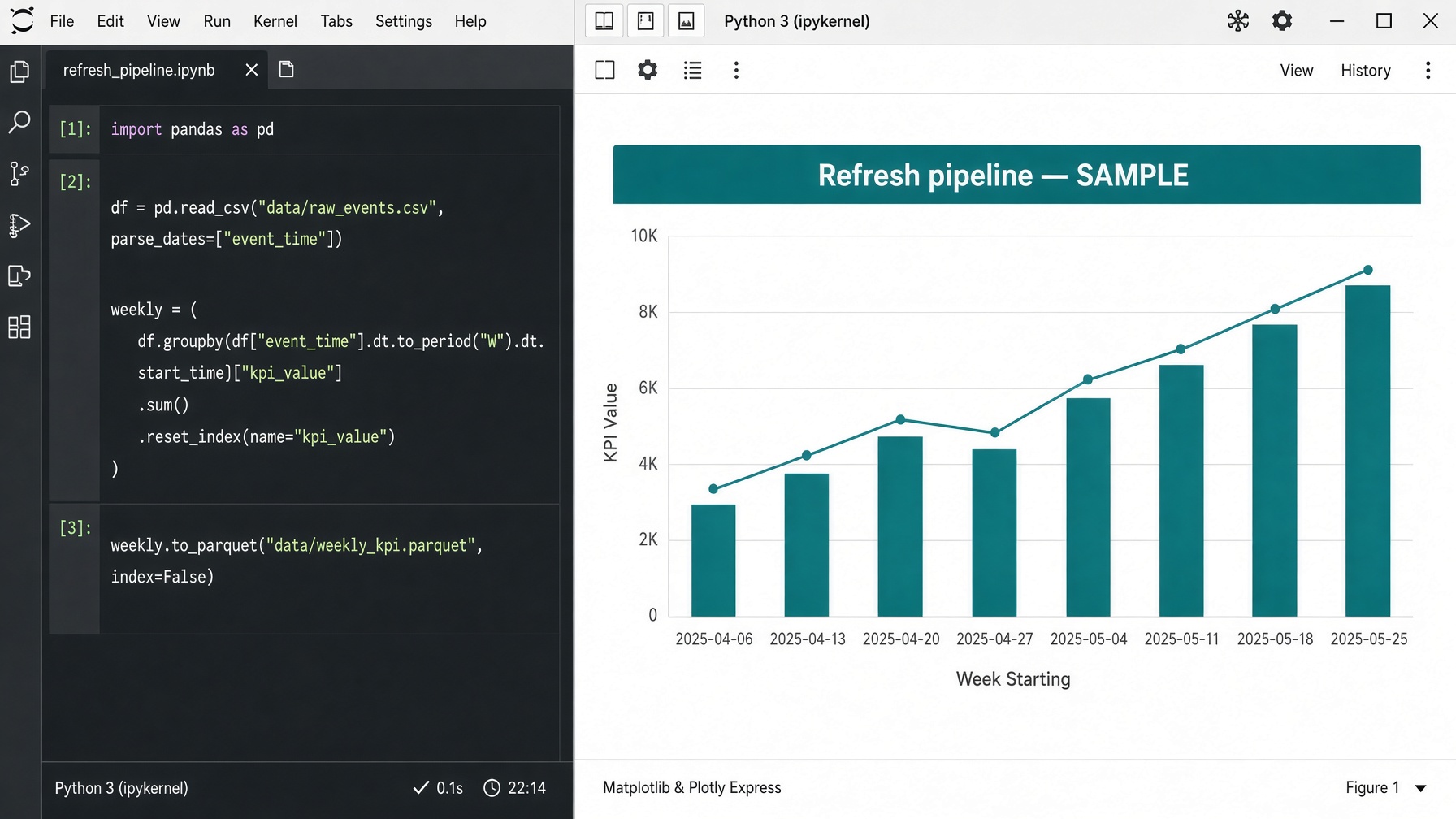
Sample · Python
Refresh pipeline
This picture is the output of a scheduled feed — the table Power BI already knows how to refresh.
What happened: someone downloaded a CSV every Friday and hoped the columns had not moved. A job now pulls, cleans, and lands the file. Demonstration data, not a client file.

Sample · R
Forecast & residuals
This picture is a forecast with the residual plot in the same pack, so the run can be replayed.
What happened: the forecast lived in one notebook. It became a documented model with the error chart next to the number. Demonstration data, not a client file.

Sample · Analysis
Weekly operating pack
This picture is a one-page operating read: the named KPI, the driver, and a next step.
What happened: five versions of the same metric in one meeting became one definition the room can point to. Demonstration data, not a client file.
About
Professional background
FAQ
View questions
What does PeekGraph actually do?
PeekGraph helps teams get one number they can trust. That can mean a Power BI or Tableau dashboard, a Smartsheet tracker, a Python or R pipeline, or the KPI definitions behind all of it. The output is a view leadership can open without a walkthrough.
Who is this for?
Finance, operations, and leadership teams who already pay for the tools — and are tired of reconciling three files before the weekly meeting. Engagements run with US and international teams.
Does the booking need a chosen tool?
No. Pick the closest one on the form, or “Not sure yet.” The call is where Power BI vs Tableau vs a pipeline vs just the metric definitions gets decided.
Is the consultation free?
Yes. Describe what the meeting is for. PeekGraph will say which workstreams actually apply. Scope and fee come after that, in writing, before anything starts.
How much does a project cost?
It depends on the grain of the data and whether a model already exists. There is no price on this page. A written range comes after the call, before work starts.
How long does a first engagement take?
A focused executive view is usually weeks, not months — after the metrics are locked. A full model plus refresh takes longer. That split is named on the call.
Does the work rebuild everything from Excel?
Only if Excel is still the real system. If a model, workbook, or sheet already exists, the work starts there and fixes the layer that is lying.
Can existing dashboards be used?
Yes. Most engagements start with the file that is already in the meeting — then lock the metric, the grain, and the refresh.
How is confidential company data handled?
Nothing is billed, stored as a product, or reused as a public case study without written permission. Sample screens on this site are demonstrations, not client files.
How does an engagement work?
Book the form → a reply by email or phone → a written scope → build and handoff. The files stay with you, and the work can run without PeekGraph on the line.
Can work run remotely with a US or Canada team?
Yes. The practice has US and Canada experience, including SDG&E, Axos Bank, and United Way of British Columbia. Engagements run remotely unless requested otherwise.
Is ongoing support included?
Handoff is the default: you keep the files. A later support cadence is optional and only if it is in the written scope.